ApacheDS 2.0
Downloads

Documentation
- Basic User Guide
- Advanced User Guide
- Developer Guide
- Kerberos User Guide
- Configuration
- JavaDocs
- Cross-Reference
Support
Community
About Apache
Download for Mac OS X Installer
We suggest the following mirror site for your download:
Mac OS X Installer 64 bit

Mac OS X Installer 32 bit
We encourage you to verify the integrity of the downloaded file using:
- the ASC file (OpenPGP compatible signature) with the KEYS file (code signing keys used to sign the product)
- the SHA256 or SHA512 files (checksum).
Installation
 |
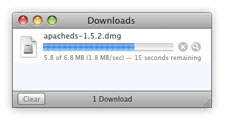 |
Click on the link above to download ApacheDS for Mac OS X. Your download appears in the download manager of your web browser. |
|
 |
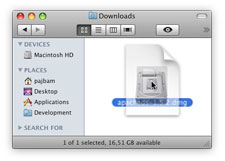 |
Double-click on the disk image to open it. It may have already been opened by your web browser. |
|
 |
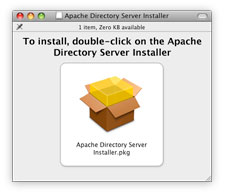 |
Double-click on the Apache Directory Server Installer.pkg file to open the installer. | |
 |
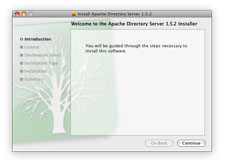 |
Follow the instructions of the installer to complete the installation. |
Requirements
ApacheDS requires at least:
- Mac OS X version 10.4 (Tiger) or later.
- a Java Runtime Environment 6 or later.
Verify the integrity of the file
The PGP signatures can be verified using PGP or GPG. First download the KEYS as well as the asc signature file for the relevant distribution. Then verify the signatures using:
$ pgpk -a KEYS
$ gpgv apacheds-2.0.0.AM27-64bit.dmg.asc
$ pgp -ka KEYS
$ gpg apacheds-2.0.0.AM27-64bit.dmg.asc apacheds-2.0.0.AM27-64bit.dmg
$ gpg --import KEYS
$ gpg --verify apacheds-2.0.0.AM27-64bit.dmg.asc apacheds-2.0.0.AM27-64bit.dmg
Alternatively, you can verify the checksums of the files (see the How to verify downloaded files page).